Picture
Caution: The system may prompt you to download and install a plug-in. Click here for instructions.
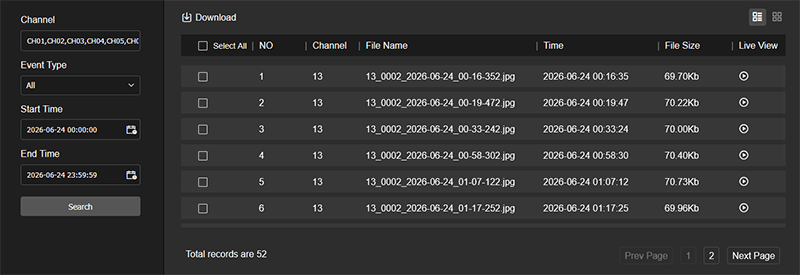
Pro Tip: Snapshots files are named starting with the channel number (1-16), event type, date, and time.
Here you review the snapshots on the system. At the top right, use the buttons to switch between list mode and tile mode.
In the left column, select the channel(s), event type, and the start and end times. Click Search.
The chart at right displays all files that fit those filters. Use the checkboxes to select any desired files, and click Download at the top left to save those files to your computer.